Paper to Electronic Medical Records Transition Guide
Before the creation of electronic medical records, healthcare providers traditionally used paper files to keep track of patient information. However, these documents may not be easy to locate due to being misplaced or incorrect storage. Thus, medical institutions should consider transitioning from paper-based to electronic records to enhance workflows.
The benefits of utilizing Electronic Medical Records software include:
- Saving time;
- Saving money;
- Improving accuracy, and
- Patient data security.
Consequently, various healthcare facilities — including clinics and hospitals — have adopted EMR systems.
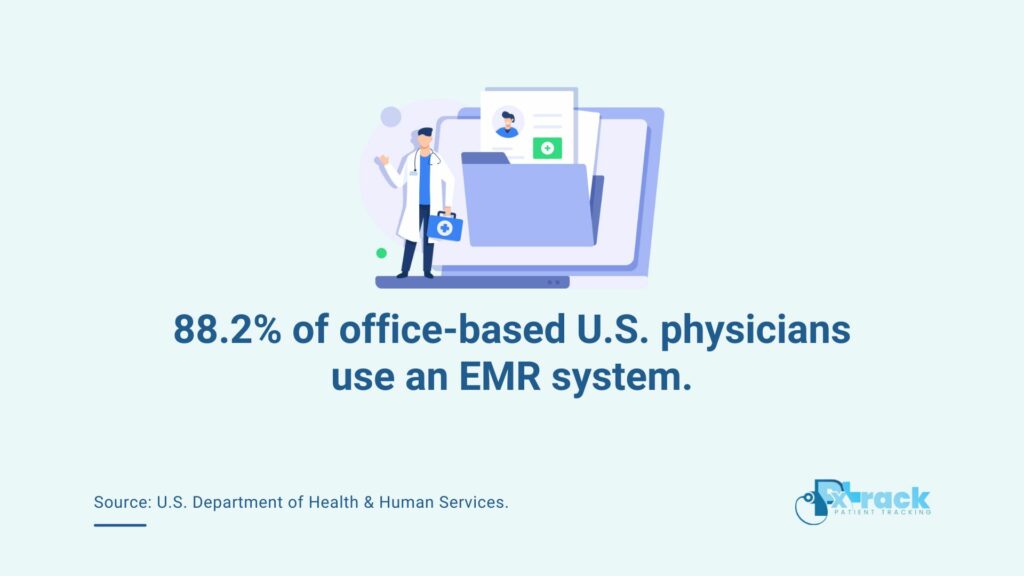
Source: U.S. Department of Health & Human Services.
TRANSITIONING TO ELECTRONIC MEDICAL RECORD SYSTEMS
An EMR system offers healthcare clinics numerous advantages, but it can take time for a clinic to acclimate to it. Fortunately, developing an EMR transition plan can help clinic staff throughout the process.
It’s also critical to inform everyone involved about the expected duration of the transition. Implementation may take weeks or months, depending on the EMR software’s complexity and functionalities.
Here’s how to smoothly transition from using paper-based to electronic records and reap the benefits of EMR-enhanced clinic operations:
TIPS FOR TRANSITIONING FROM PAPER-BASED TO ELECTRONIC MEDICAL RECORDS
1. CONDUCT DATA INVENTORY
Transitioning to electronic records involves the transfer of significant data. Therefore, clinic personnel should thoroughly review and consider what data to transfer into the system.
It’s critical to conduct an inventory of existing paper records to be digitized, such as:
- Patient charts;
- Diagnostic results;
- Treatment plans;
- Prescriptions;
- Billing information;
- Historical medical records, etc.
Staff can also find and remove outdated, redundant, or duplicate records. This way, only relevant and accurate data will be featured in the next transition stage.
2. ORGANIZE AND PRIORITIZE WHICH RECORDS TO ENCODE
Staff can organize the inventoried records in order of priority. Transferring patient information into an Electronic Medical Records software will require time and effort. Clinic staff will need to scan existing documents and images and encode vital information into the system.
During this time, staff can standardize the data for greater consistency. They can organize records into categories such as “active patient files,” “archived records,” “disposable,” etc.
Of course, encoders should prioritize patients who have regularly visited the doctor for the past two months.
On the other hand, medical staff categorize as disposable the records of a patient who, at the time of their last checkup 20 years ago, was 60 years old. Also, they can dispose of the records of individuals who had their last checkup three years ago at the doctor’s discretion.
3. ENSURE THE ACCURACY OF DIGITIZED DATA
Once encoding is completed, clinic staff can verify the accuracy and completeness of the digitized records.
They can do so by cross-referencing the information on the EMR with the original paper records, thus eliminating errors stemming from data entry. It’s a critical stage, especially if dealing with handwritten or poorly-maintained paper documents.
As a result, the clinic can ensure the integrity and reliability of patient information. The data will be ready for future use and access for healthcare delivery!
4. PROPER DISPOSAL OF MEDICAL RECORDS
Once you’ve finished encoding all of your paper documents into electronic medical records, securely dispose of paper records or store them in a secure facility. This ensures that unauthorized parties won’t be able to access the data and tamper or use them with malicious intent.
But before you destroy your paper records, it’s vital to consider local laws and regulations regarding the keeping and destroying of medical information.
As per data privacy requirements, the information should be disposed of in such a way that it will not be retrieved or reconstructed. This safeguards patient records from potential data breaches.
In addition, your clinic should record what documents were destroyed and their respective termination dates. Healthcare institutions can generally destroy paper-based information by burning, cutting, shredding, or other similar methods.
STREAMLINE YOUR CLINIC WORKFLOWS WITH AN EMR SYSTEM TODAY!
Electronic Medical Records systems change how healthcare providers manage their clinics. EMR software contributes to improved patient care by saving time and money, improving staff accuracy, and ensuring patient data security.